AI crawlers: which bots to allow so AI can cite you
Every AI engine reads the web through its own bots, and most vendors now run separate bots for search and for training. Block the wrong one and your brand quietly drops out of AI answers. This guide lists them all, shows what to allow, and explains how to check your site.
Every AI engine, its index and its bots
To be cited in an AI answer, allow the bots in the third column. The training controls in the fourth column are a separate business decision. Blocking them doesn't remove you from AI search, with one exception: Google-Extended also controls Gemini app answers.
| AI engine | Where its live web results come from | Allow these to be read and cited | Training only (optional) | How you control it |
|---|---|---|---|---|
| ChatGPT (OpenAI, incl. ChatGPT search) | OpenAI's own index plus third-party search data. Bing ran browsing until October 2024 and reportedly still contributes | OAI-SearchBot, ChatGPT-User | GPTBot | robots.txt for OAI-SearchBot and GPTBot. ChatGPT-User may not follow robots.txt for requests a user starts |
| Gemini, AI Overviews, AI Mode (Google) | Google Search's index | Googlebot | Google-Extended: a control token, not a bot. Also removes pages from Gemini app answers | robots.txt. No separate AI Overviews opt-out; only nosnippet and max-snippet limit what it shows |
| Perplexity | Perplexity's own index plus live page fetches | PerplexityBot, Perplexity-User | None listed | robots.txt for PerplexityBot. The user fetcher may ignore robots.txt and can only be stopped at the firewall or CDN |
| Claude (Anthropic) | A web-search index (Anthropic lists Brave Search as its provider), plus Anthropic's own fetches | Claude-SearchBot, Claude-User, and don't block Googlebot, which Brave follows | ClaudeBot | robots.txt per user-agent |
| Microsoft Copilot | Bing's index | Bingbot | None listed | robots.txt. Bing Webmaster Tools for indexing status |
| Brave Search (behind Claude's web search) | Brave's own index | No separate bot. Brave's crawler doesn't identify itself and follows your Googlebot rules | None listed | Your Googlebot rules in robots.txt |
| Meta AI | Meta's own crawl plus search partners | Meta-ExternalFetcher (fetches for users) | Meta-ExternalAgent (trains models and indexes for Meta products) | robots.txt for Meta-ExternalAgent. Meta-ExternalFetcher may ignore robots.txt |
| Apple Intelligence, Siri | Applebot's index | Applebot | Applebot-Extended (opt-out token; it doesn't crawl) | robots.txt |
| Common Crawl (a public crawl, not an engine) | Not an answer engine. Many models train on it | None | CCBot | robots.txt. Affects training sets, not what any engine cites today |
Accurate to November 2026, from each vendor's published crawler documentation. Vendors change this often, so re-check a bot name before you rely on it. StarRise tracks ChatGPT, Gemini, Perplexity, Claude and Google AI Overviews; the other rows are here so your robots.txt is complete.
Search bots, user fetchers and training bots
Each major vendor now runs more than one crawler, and you control each one separately. Mixing them up is the most common reason a brand disappears from AI answers.
Allow
Search bots
OAI-SearchBot, PerplexityBot, Claude-SearchBot, Googlebot, Bingbot. Build the index an assistant searches when a user asks a question.
- If blocked: your pages stop appearing in that engine's live results and stop being cited.
Allow
User fetchers
ChatGPT-User, Perplexity-User, Claude-User, Meta-ExternalFetcher. Fetch one page, on demand, because a user's question needs it.
- If blocked: the engine can't read the page mid-conversation. Some fetchers ignore robots.txt for user requests.
Your choice
Training controls
GPTBot, ClaudeBot, CCBot, Meta-ExternalAgent (bots) and Google-Extended, Applebot-Extended (tokens). Collect text, or grant permission, to train future models.
- If blocked: your content stays out of future training. Google-Extended also removes your pages from Gemini app answers.
The two mistakes. A site blocks GPTBot believing it has blocked ChatGPT. It has, for training, and ChatGPT search still reads the site through OAI-SearchBot. The reverse mistake costs far more: a blanket "block all AI bots" rule from a template or a CDN toggle also blocks the search bots, and the brand quietly disappears from AI answers.
Three gates, in the order they bite
A bot can read your page only if it gets through all three. Most blocked sites got stuck at the first or second without anyone deciding to block anything.
- 1. robots.txt. The universal control. A Disallow: / under a bot's User-agent: line closes the site to it, and no rule means allowed. A User-agent: * block applies to every bot without its own group, search bots included. Template rules and copied snippets are where most accidental blocks start.
- 2. CDN and firewall bot management. CDNs and web application firewalls can block bots by user-agent or fingerprint, whatever robots.txt says. Some, Cloudflare among them, offer a one-click "block AI bots" setting. This is the only way to stop user fetchers that ignore robots.txt, and it's often the hidden reason a bot you allowed still can't get in.
- 3. Being in the underlying index. Gemini and AI Overviews read Google's index. Copilot reads Bing's. Claude's web search relies on Brave, which follows your Googlebot rules. Ordinary indexing hygiene is the real gate here: a submitted sitemap, no stray noindex, and pages fast enough to crawl.
What about llms.txt? llms.txt is a proposed convention: a plain Markdown file at your site root that summarizes your key pages for AI agents. It's a courtesy summary. It doesn't grant or deny access to any bot, and you shouldn't expect it to change citations on its own. It's cheap to add, so add one if you like, after the three gates are clear. Don't let it stand in for them.
A robots.txt that keeps you in AI search
This example allows every search bot and user fetcher, and opts out of most training. Many brands allow everything instead. Both are fine. Blocking the search bots is the only choice that costs you visibility.
| robots.txt lines (example.com) | What they do |
|---|---|
| User-agent: OAI-SearchBot / ChatGPT-User / PerplexityBot / Claude-SearchBot / Claude-User / Googlebot / Bingbot, then Allow: / | Search bots and user fetchers: allow, so AI engines can cite you |
| User-agent: GPTBot / ClaudeBot / CCBot / Applebot-Extended, then Disallow: / | Training bots: optional. Remove this group to allow training too |
| (no Google-Extended group) | Google-Extended is left open: blocking it also removes your pages from Gemini app answers |
| Sitemap: https://example.com/sitemap.xml | Points every bot at your sitemap |
Write each User-agent on its own line, followed by the Allow or Disallow line for the group. Replace example.com with your domain. Keep any existing rules for private paths, such as admin or checkout pages, in the groups above.
How to check your site
- Read your robots.txt. Open yourdomain.com/robots.txt. Look for each bot in the table, and for any User-agent: * group with Disallow: /.
- Check your CDN and firewall. Look in your CDN dashboard for an AI bot or bot-management setting, and ask whoever runs your firewall whether it blocks AI user-agents.
- Check the indexes. Use Google Search Console and Bing Webmaster Tools to confirm key pages are indexed. Search for them on Brave Search too.
- Look at your server logs. Visits from OAI-SearchBot, PerplexityBot or Claude-SearchBot show the bots are getting through.
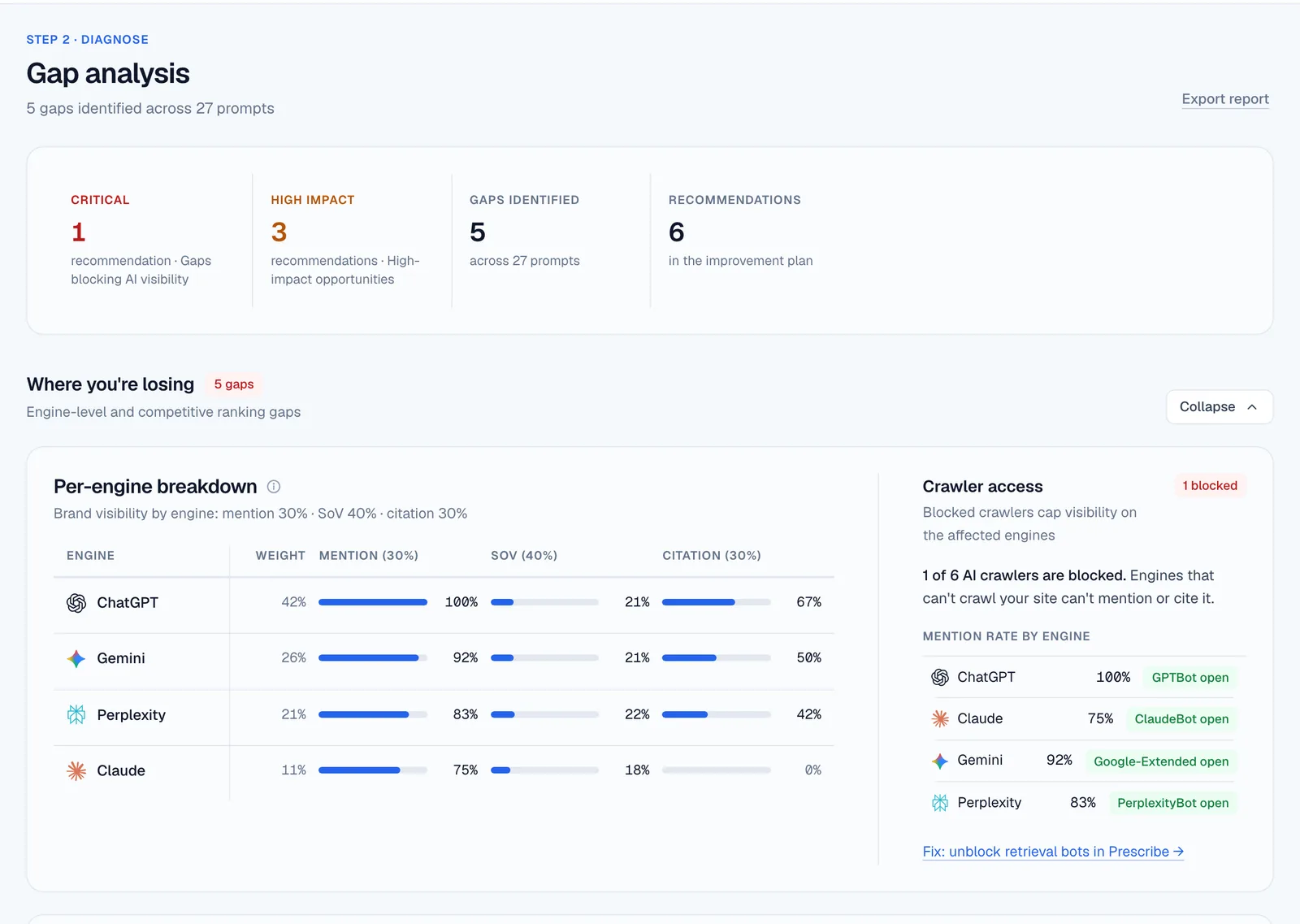
- Run a free StarRise report. Technical Readiness checks your robots.txt and CDN for the main AI crawlers and shows each as open or blocked, and the visibility results show whether engines cite you.
AI crawler questions
Can AI crawlers like GPTBot access my website, and how do I check?
Open yourdomain.com/robots.txt and look for each bot by name, and for a User-agent: * group with Disallow: /. Then check your CDN for an AI bot setting. Remember that GPTBot is OpenAI's training bot. For ChatGPT search, the bots that matter are OAI-SearchBot and ChatGPT-User. The free StarRise report shows the main AI crawlers as open or blocked.
Should I block GPTBot?
That's a business choice about training data. Blocking GPTBot keeps your content out of future OpenAI training and doesn't remove you from ChatGPT search. Many brands allow it. Just don't block OAI-SearchBot or ChatGPT-User by mistake.
Does blocking AI training bots hurt my visibility?
Mostly not. Training bots feed future models, and what decides whether you're cited today is the search bots and user fetchers in the table. The exception is Google-Extended: blocking it also removes your pages from Gemini app answers.
What is Google-Extended?
A robots.txt token, not a crawler. Blocking it opts your pages out of Gemini training and grounding, so they stop appearing in Gemini app answers, while keeping them in Google Search. It doesn't remove you from AI Overviews.
Do I need llms.txt?
It's optional. llms.txt is a proposed summary file for AI agents. It doesn't grant or deny access, and it won't fix a blocked bot. Clear the three gates first, then add it if you like.
Why is my brand mentioned by AI but never cited?
Engines can name a brand from what they already know, from training data and third-party pages, without reading your site. A citation needs a page they can reach. Mentioned but never cited usually means a search bot is blocked, so check this table first. Engine by engine: ChatGPT, Gemini, Perplexity, Claude.